
Discord - Talk, Play, Hang Out
Discord Inc.Communication
4.3322.99K Reviews
- Version
- 353.11 - Stable
- Installs
- 500.00M
- Age Rating
- Teen
Screenshots
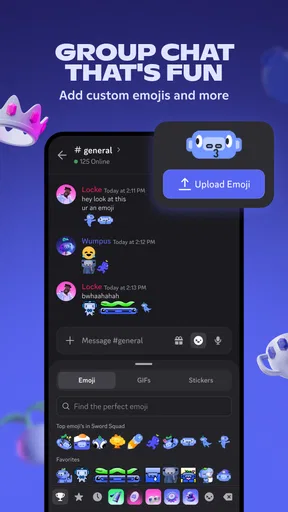
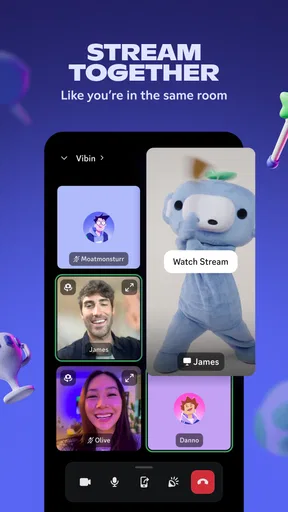
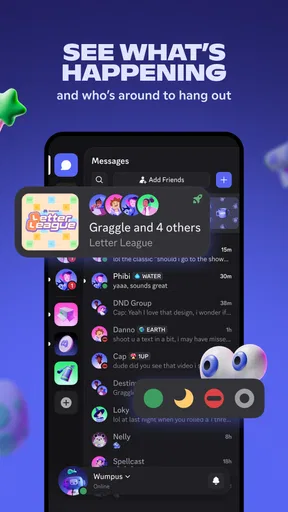

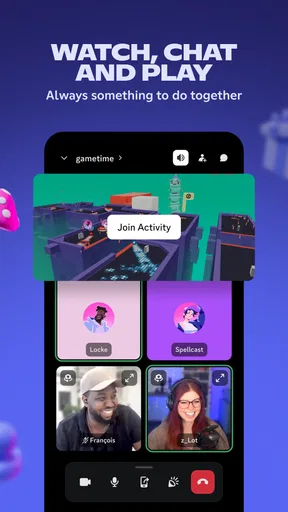

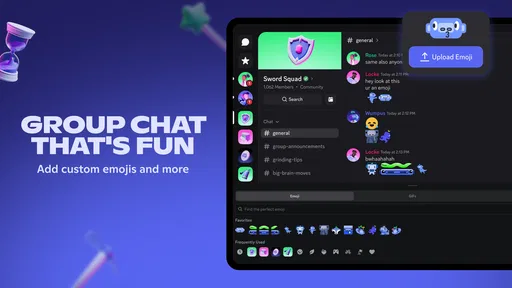
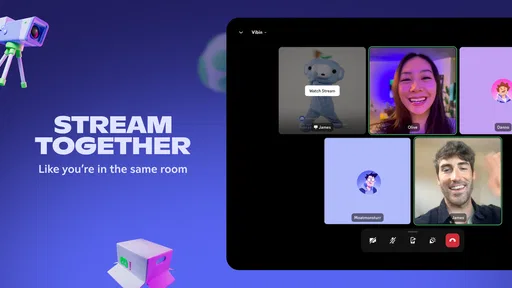
Our Review of Discord - Talk, Play, Hang Out
 Analysis by Appyee
My first week with Discord - Talk, Play, Hang Out made its appeal easy to understand: it gives a group a shared place to talk, whether the conversation is about games, a hobby, or simply what everyone is doing. I found it most inviting when friends already had a reason to gather there. A voice channel can feel like an open room rather than a call that needs arranging, while text channels give people somewhere to leave messages when they cannot all be online together.
That flexibility is also what makes the first visit a little confusing. Discord is a communication app from Discord Inc., but it is organized around servers, channels, and communities rather than a single inbox. If you are used to a basic messaging app, you may need a short while to work out where conversations belong and which notifications matter. Once a server is arranged around a real group, though, the layout starts to make more sense.
The appeal of a shared space
Creating a server for a small group can be more useful than keeping every topic in one long chat. A gaming group might separate general conversation from voice chat, while a book club could keep recommendations apart from its meeting plans. That small bit of structure makes older details easier to find and gives quieter members a way to join in without interrupting a live conversation.
I would not create a server just because the tools are there. A group of two or three people who only exchange the occasional message may be happier in a simpler chat app. Discord earns its extra layers when people have recurring conversations, several interests to organize, or a reason to spend time together in voice.
Setting Up Your Virtual Hangout
When you first dive into Discord - Talk, Play, Hang Out, you might feel a bit overwhelmed. But don't worry, it's pretty intuitive once you get the hang of it. Setting up your server is a breeze. Just a few clicks, and voilà! You've got your own personal space. You can customize everything from text channels to voice channels, and even add bots for fun or utility.
Features That Stand Out
One of the coolest things about Discord is its voice chat feature. Whether you're gaming with friends or just hanging out, the voice channels are super smooth. And for those who prefer texting, the messaging system is top-notch. You can send GIFs, images, and even integrate third-party services like Spotify to show off what you're jamming to.
Another fantastic feature is the screen sharing option. It's perfect for showing off your latest game achievements or hosting a virtual movie night. Plus, with the new Stage Channels, you can host live audio events easily, making it a great tool for podcasters and performers alike.
Moving from first-week excitement to everyday use
The features matter most when they settle into a routine. A realistic use is a weekly gaming session: I can leave the group’s plans in a text channel, join voice when I am ready, and keep the conversation going without asking everyone to move to a separate service. For a study group, the same pattern can work with a channel for questions and a live voice room for working alongside one another. The benefit is not simply having more buttons; it is having one familiar place for the group’s different kinds of contact.
For that routine to hold up, I would keep the server deliberately small in scope. Give recurring topics their own channels, but avoid making a channel for every passing idea. Too many empty rooms make a community feel abandoned and leave new members guessing where to post. A useful rule is to create a channel only when a conversation happens often enough to deserve a home.
Roles and permissions can help once a community grows beyond close friends, but they are worth setting up thoughtfully. Start with the simplest arrangement that suits the group, then add distinctions only when members actually need different access or responsibilities. This avoids turning server management into a hobby of its own. It also makes the space easier to understand for someone joining on a phone for a quick look.
Making voice, text, and sharing work together
One practical habit is to use text for information people may need later and voice for the parts that benefit from immediate back-and-forth. A session time, a list of topics, or a link to something the group is discussing is easier to revisit in writing than to remember from a call. Voice is better when tone and fast reactions matter. Keeping those purposes distinct reduces the familiar problem of useful details disappearing inside a lively conversation.
Screen sharing can also change how a group solves small problems. Instead of trying to describe a confusing menu, a setup issue, or a creative draft in several messages, one person can show what they mean and let others respond in real time. I would still treat it as a live collaboration tool rather than a replacement for written notes: once the session ends, the group may need to post the conclusion in text if it will matter later.
For a host, the choice between an informal voice hangout and a more organized live audio event depends on the group. A familiar circle usually benefits from a relaxed conversation, while a larger discussion needs clearer turn-taking and expectations. The extra structure is useful when there is an actual audience or topic to manage; for casual friends, too much formality can make the room feel less welcoming.
Community and Connectivity
Discord isn't just for gamers anymore. There are communities for everything: art, music, coding, and more. It's like having a virtual meeting spot for any interest you can think of. And with the seamless integration of roles and permissions, managing a community has never been easier. You can assign roles to members, keeping everything organized and running smoothly.
One thing I love is how inclusive the app feels. It's designed to bring people together, no matter where they are in the world. The ability to create private servers for friends or public ones for larger communities gives you the flexibility to connect how you want.
Who will keep it installed?
Discord is strongest for people who return to the same groups: friends who game together, hobby communities that trade ideas, or organizers who need separate spaces for ongoing conversations. It can also suit someone who enjoys listening in before joining a discussion. With a mix of text and voice, participation does not have to mean being available at exactly the same time as everyone else.
It is less compelling if you want a clean, one-to-one messenger for practical updates, or if your friends are not already willing to use it. In those cases, asking everyone to adopt servers and channel habits adds friction without much payoff. A straightforward messaging app is often a better fit for family logistics or occasional coordination, while a conventional group call may be simpler when all you need is one conversation at a set time.
How it compares with familiar alternatives
Compared with ordinary messaging apps, Discord gives a group more room to separate ongoing subjects and keep voice available as part of the same community. That can be a meaningful advantage for a club or friend group with several recurring activities. The trade-off is that a simple chat app is usually easier to enter and requires less tending; it wins when speed and familiarity matter more than a persistent shared space.
Compared with a conventional meeting or calling app, Discord feels less tied to a scheduled appointment. People can move between text and voice as their day allows, which suits informal communities. A dedicated meeting tool may be the clearer choice for a formal work call with a fixed agenda, while Discord is more natural for groups that want conversation to continue before and after any one live session.
The small habits that prevent server fatigue
The main maintenance task is not technical; it is keeping the community legible. I would review whether each channel still has a purpose, make the server’s basic expectations easy to see, and give newcomers a clear place to start. If a server has roles, assign them for a practical reason rather than as decoration. These modest choices make a bigger difference than building an elaborate layout that the group does not use.
Notifications are another part of the upkeep. A busy community can become tiring if every conversation competes for attention, so I would be selective about which servers and channels deserve alerts. Checking in at chosen times can work better than letting every new message pull focus. That is especially useful when a large public community is interesting to browse but not important enough to follow minute by minute.
There is also a social cost to being in many active spaces: a stream of messages can create the feeling that you are behind, even when no one expects an immediate reply. I find Discord more sustainable when I treat it as a place to visit for chosen groups rather than as a permanent live feed. If the app starts to feel like another inbox to clear, muting less relevant activity and leaving communities that no longer serve a purpose can restore its value.
What to expect before joining
Discord is free to download and use, and its broad reach—over 500 million installs and an average rating of 4.3 from around 6.6 million ratings—helps explain why a friend or community may already be there. The app is rated Teen, so it is not designed as a children’s space. In-app purchases range from $1.99 to $274.94 per item; I would regard paid extras as optional rather than a requirement for joining a conversation or making a basic server useful.
The current stable version is 309.11, and the app requires Android 7.0 or later on Android. It is also available on iOS. Discord is a communication tool, not a substitute for deciding who should be allowed into a private group or what personal details are sensible to share. For a friend server, I would invite people deliberately and keep the conversation appropriate to the group, just as I would in any online community.
Final Thoughts
If you're looking for a versatile app that allows you to connect with others in a fun and interactive way, Discord is definitely worth checking out. Whether you're a gamer, a creator, or just someone who loves chatting with like-minded people, this app has something for everyone. So go ahead, give it a spin, and see how it can enhance your online social life.
Ready to dive into the world of Discord? You can download it on both Android and iOS and start building your community today!
For me, the lasting question is whether a group has a reason to come back. Discord’s first-week novelty is easy to enjoy, but its month-to-month value comes from familiar people, useful channels, and a balance between live talk and messages that can wait. The app was released on May 7, 2015, and that long life fits its role as an established communication space, though longevity alone is no reason to keep every server in your routine.
I would keep it installed for a community that genuinely uses its mix of channels, voice, and sharing. I would not keep checking it out of obligation when the group has gone quiet or moved elsewhere. That is the fairest measure of its lasting value: Discord earns space on my phone when it makes an active group easier to be part of, not merely because it offers more ways to stay busy.
Privacy and Permissions
See what permissions an app requests and how it handles your data.
- Contacts
- read your contacts
- Photos/Media/Files
- read the contents of your USB storage, modify or delete the contents of your USB storage
- Storage
- read the contents of your USB storage, modify or delete the contents of your USB storage
- Camera
- take pictures and videos
- Microphone
- record audio
- Wi-Fi connection information
- view Wi-Fi connections
- Other
- view network connections, send sticky broadcast, full network access, change your audio settings, run at startup, draw over other apps, control vibration, prevent device from sleeping
Verdict
Strengths of Discord - Talk, Play, Hang Out
- User-friendly interface and intuitive design.
- Seamless voice and video call quality.
- Customizable servers for diverse communities.
- Robust privacy and security settings.
- Wide range of integrations and bots.
Limitations of Discord - Talk, Play, Hang Out
- Can become resource-intensive on older devices.
- Notifications can be overwhelming at times.
- Some features require a paid subscription.
- Occasional connectivity issues in busy servers.
- Learning curve for new users unfamiliar with settings.
Similar Picks in This Category
View All
Google Messages
Google LLC4.6

Gmail
Google LLC4.1

Google Meet
Google LLC4.4

Google Chrome
Google LLC4.1

WhatsApp Messenger
WhatsApp LLC4.6

Carrier Services
Google LLC4.2
You May Also Like
View All


Frequently Asked Questions
What is Discord, and how does it work?
Discord is a communication app designed for creating communities. It combines voice, video, and text features to facilitate interaction among users. Originally popular among gamers, it has expanded to include various communities. Users can join servers, which are dedicated spaces for groups to communicate, share, and collaborate.
Is Discord safe for children and teenagers?
Discord offers safety features such as privacy settings and parental controls to help protect younger users. However, parents should monitor usage, as some servers may contain inappropriate content. It's recommended to guide children in choosing suitable servers and educate them about online safety and respectful interactions.
Can I use Discord on multiple devices?
Yes, Discord is available on multiple platforms, including Windows, macOS, iOS, Android, and web browsers. Users can seamlessly switch between devices without losing their place in conversations. All you need is a stable internet connection and your login credentials to access your account on any device.
How can I customize my Discord experience?
Discord offers extensive customization options, allowing you to personalize your experience. You can adjust notification settings, customize your profile, and even use bots to enhance server management. Additionally, themes and integrations with other apps can be used to tailor Discord to your preferences.
What are Discord servers, and how do I join them?
Discord servers are dedicated spaces where communities gather to chat and share. Servers can be public or private, catering to specific interests. To join a server, you need an invitation link or access to a public server. Once joined, you can participate in various channels within the server.
